
Demand forecasting · Order proposals · Retail and wholesale
Every morning it knows what to order.
Every night Futurator loads data from the ERP, forecasts demand for every item in every warehouse and proposes what, when and how much to order from suppliers and what to transfer between warehouses. Buyers review the proposals and order in their ERP – and every number can be traced back to how it was calculated.
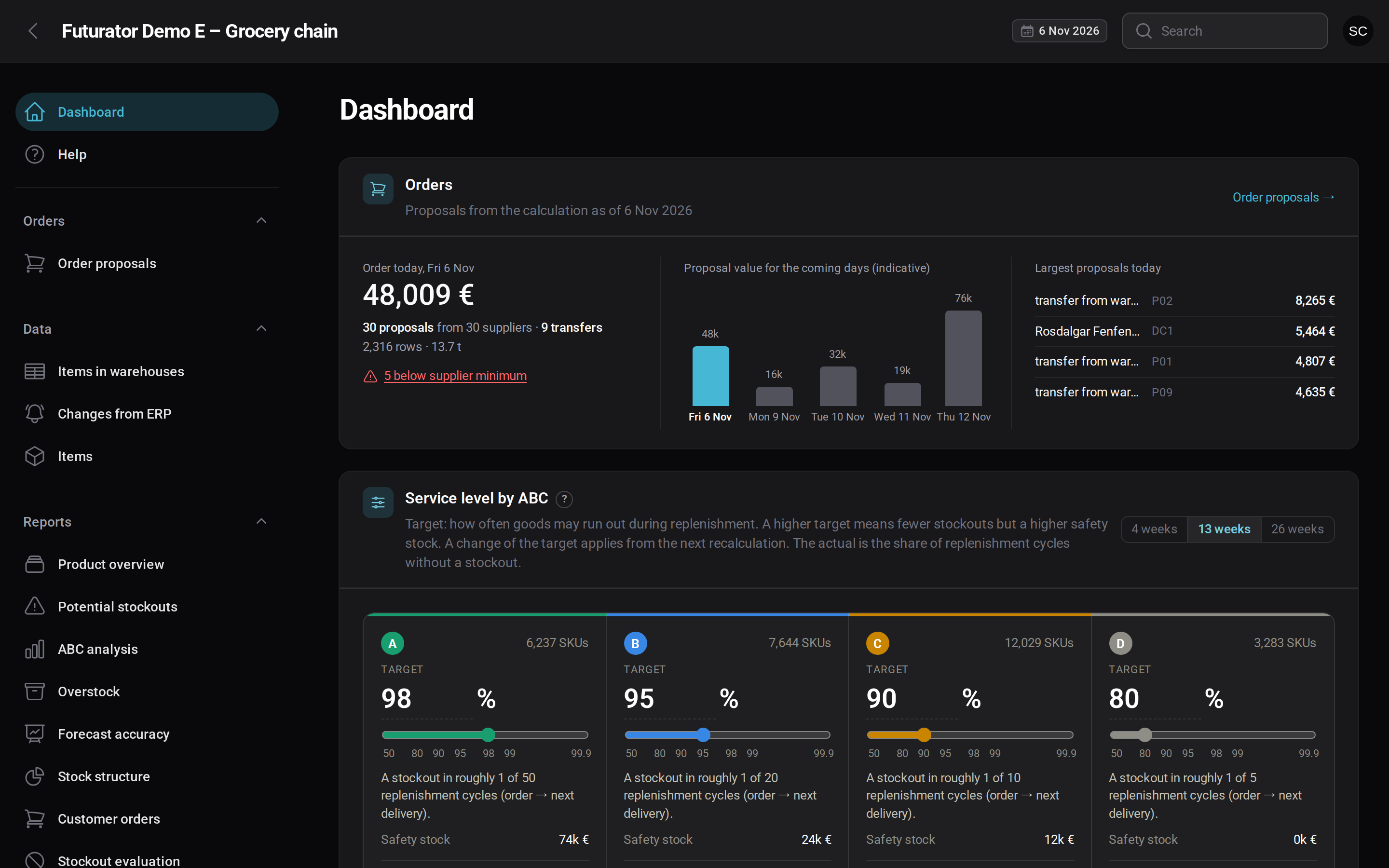
Dashboard after login · demo environment with fictional data
A day with Futurator
Data from the ERP
After the end of the day the ERP hands over stock levels, movements, open orders, promotions and master data – as files, straight from a database or through an API. Daily increments may correct several days back.
Full recalculation
Every night all key quantities are recalculated for every SKU: stock history and demand, forecast, safety stock, the stock outlook weeks ahead and the order proposals derived from it. Results are published all at once – the application never shows a half-finished state.
Ready in the morning
Buyers start the day with fresh proposals, exceptions and upcoming stockouts. Approved orders go back to your ERP – database, SOAP, REST, CSV, you name it. Changes from the ERP during the day are recalculated online.
Proposals are recalculated from scratch every day. Anything already ordered and sent back by the ERP as an open order is taken into account and not proposed again. Futurator never places an order on its own – the buyer decides what goes to the supplier.
From raw data to orders
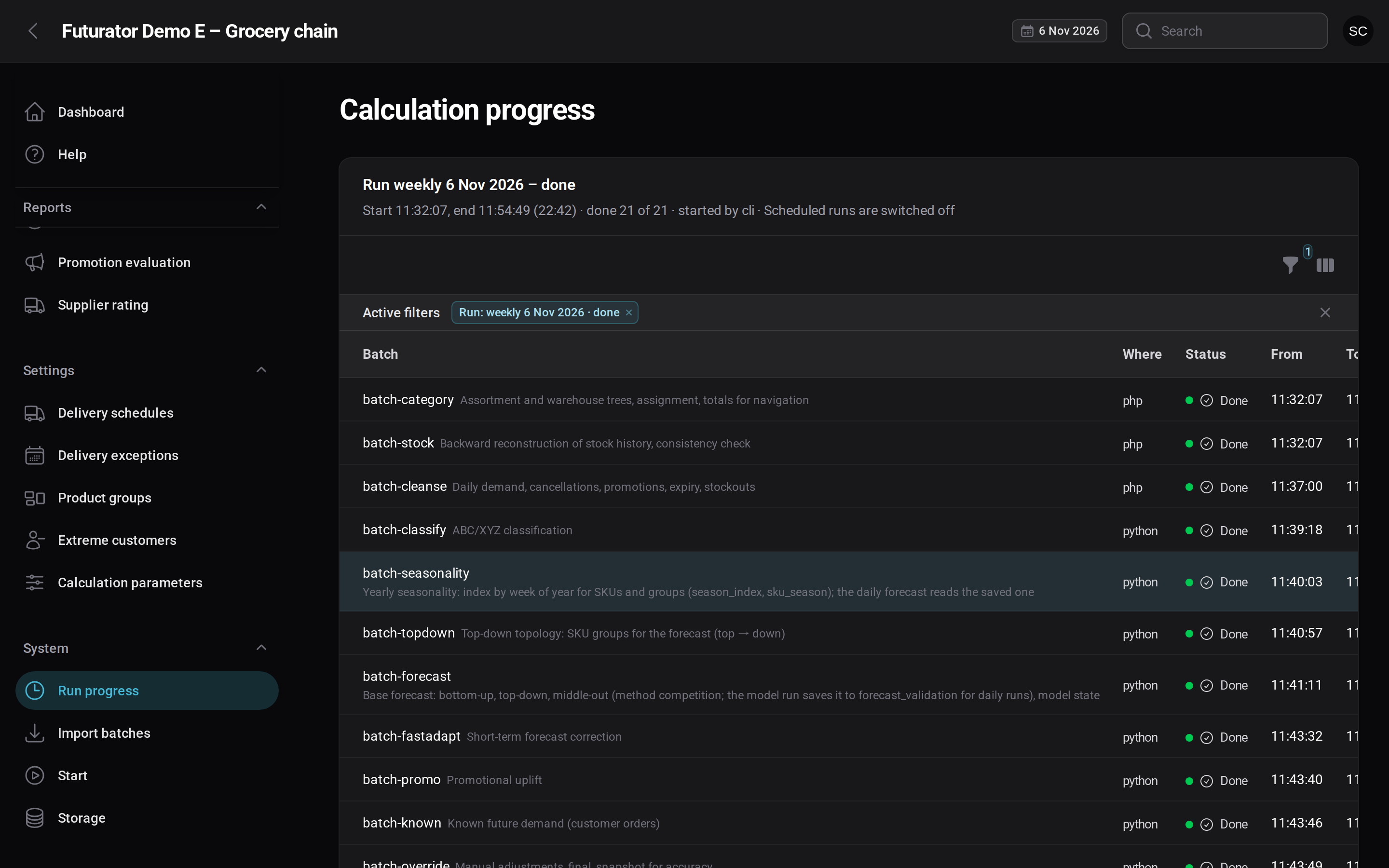
Every recalculation goes through the same five stages, for all items at once. Independent steps run in parallel, so even large customers are ready in the morning.
Clean input
Data from the ERP is checked, faulty rows are set aside and the stock history is rebuilt.Real demand
Sales are cleaned of stockouts and one-offs, so the forecast learns what customers really wanted.Forecast
For every item and warehouse, with seasonality, promotions and orders already known.Order proposals
Safety stock, the stock outlook weeks ahead and what to order, when and from whom.Published at once
Reports and accuracy are ready, the new results replace the old ones in a single step.What Futurator is made of
Import and data quality
ERP batches go through staging, validation and a quarantine for faulty rows. Daily increments with backdated corrections, full histories of tens of millions of movements loaded in chunks. Files can be checked before import; day completeness follows the country’s holiday calendar.
Demand and forecast
Demand cleansed of stockouts and extreme customers, ABC/XYZ, yearly seasonality, top-down and middle-out groups. Methods compete on validation; promotions, known customer orders and a fast correction from the last days are layered on top.
Stock and orders
Safety stock by service level (bootstrap for intermittent items, lead-time uncertainty, promotions), delivery schedules and their exceptions, shelf life and lots, redistribution between warehouses. A day-by-day stock outlook and proposals respecting MOQ, pack sizes and supplier limits.
Application for buyers
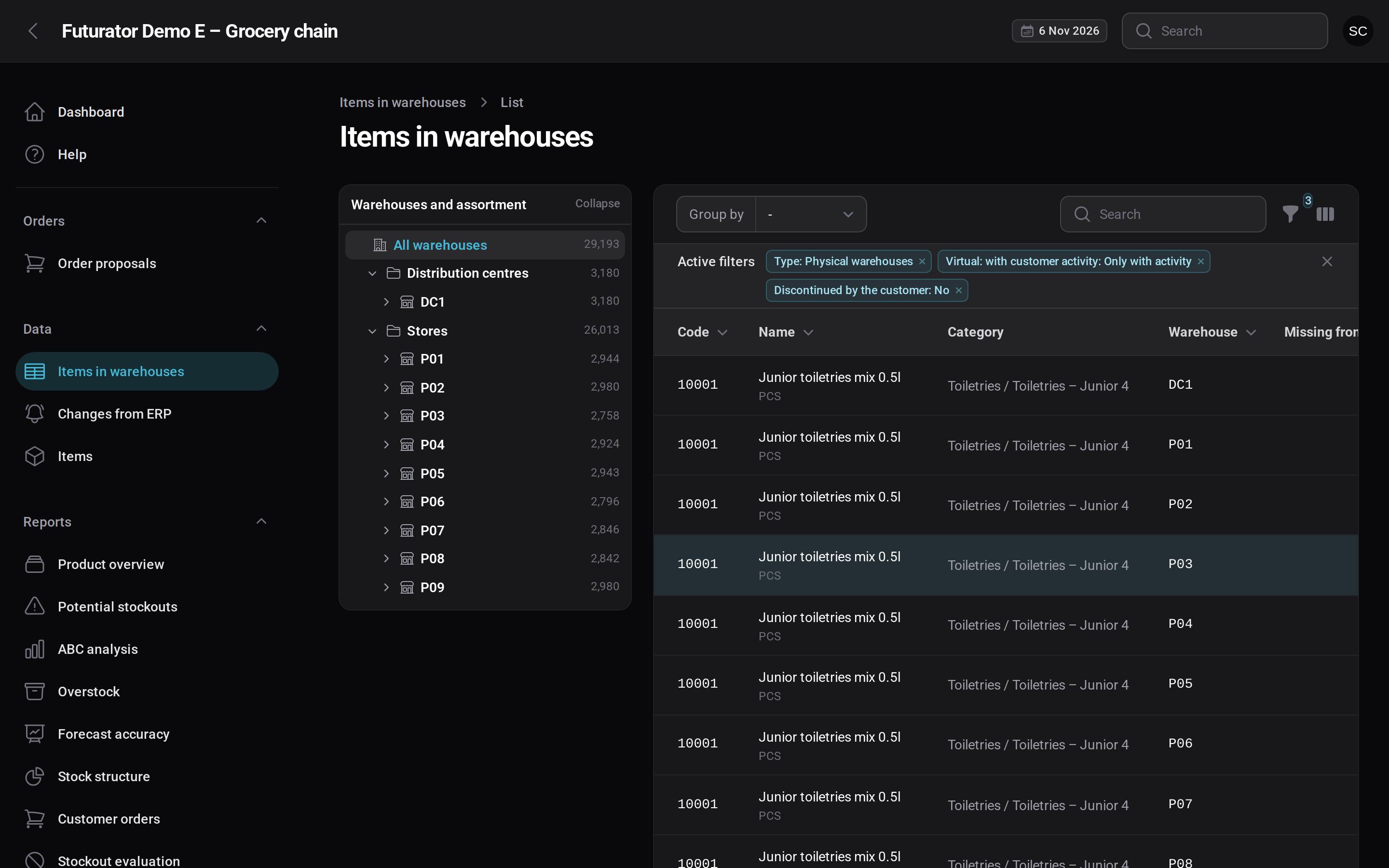
Dashboard, order proposals, items in warehouses and an SKU detail with a chart and an explanation of every order. Reports – stockouts, overstock, ABC, forecast accuracy, suppliers, promotions. Excel export and role-based help.
Operations and integration
An orchestrator for parallel batches, publishing without blocking the application, tracked database patches, clean-up. REST API with tokens, sign-in through Keycloak. Intraday ERP changes via API or RabbitMQ with an online recalculation of the item.
SaaS platform
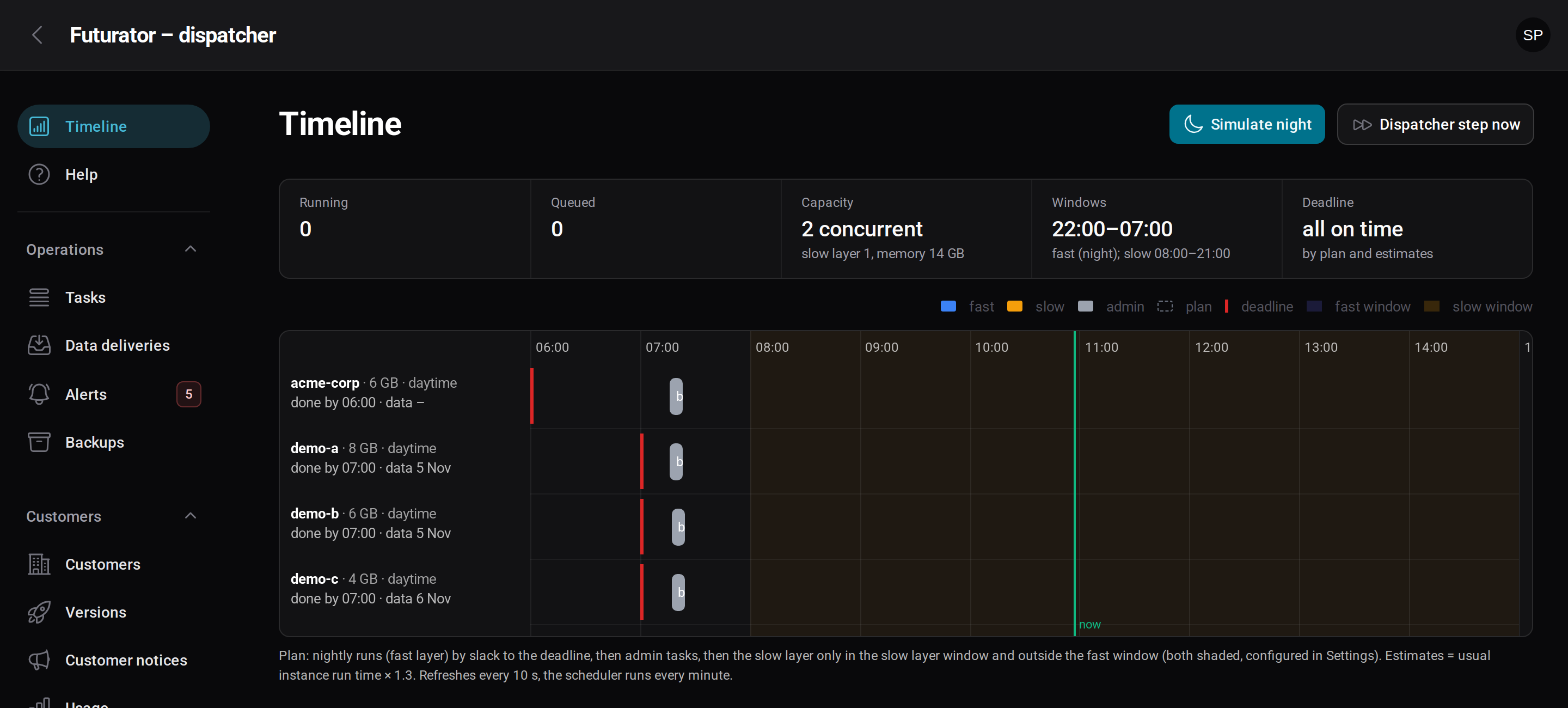
A dispatcher schedules nightly runs to each customer’s deadline, onboards and offboards customers, deploys versioned images, watches data deliveries, runs backups and meters usage. Every customer gets their own instance, databases and sign-in.
Order proposals
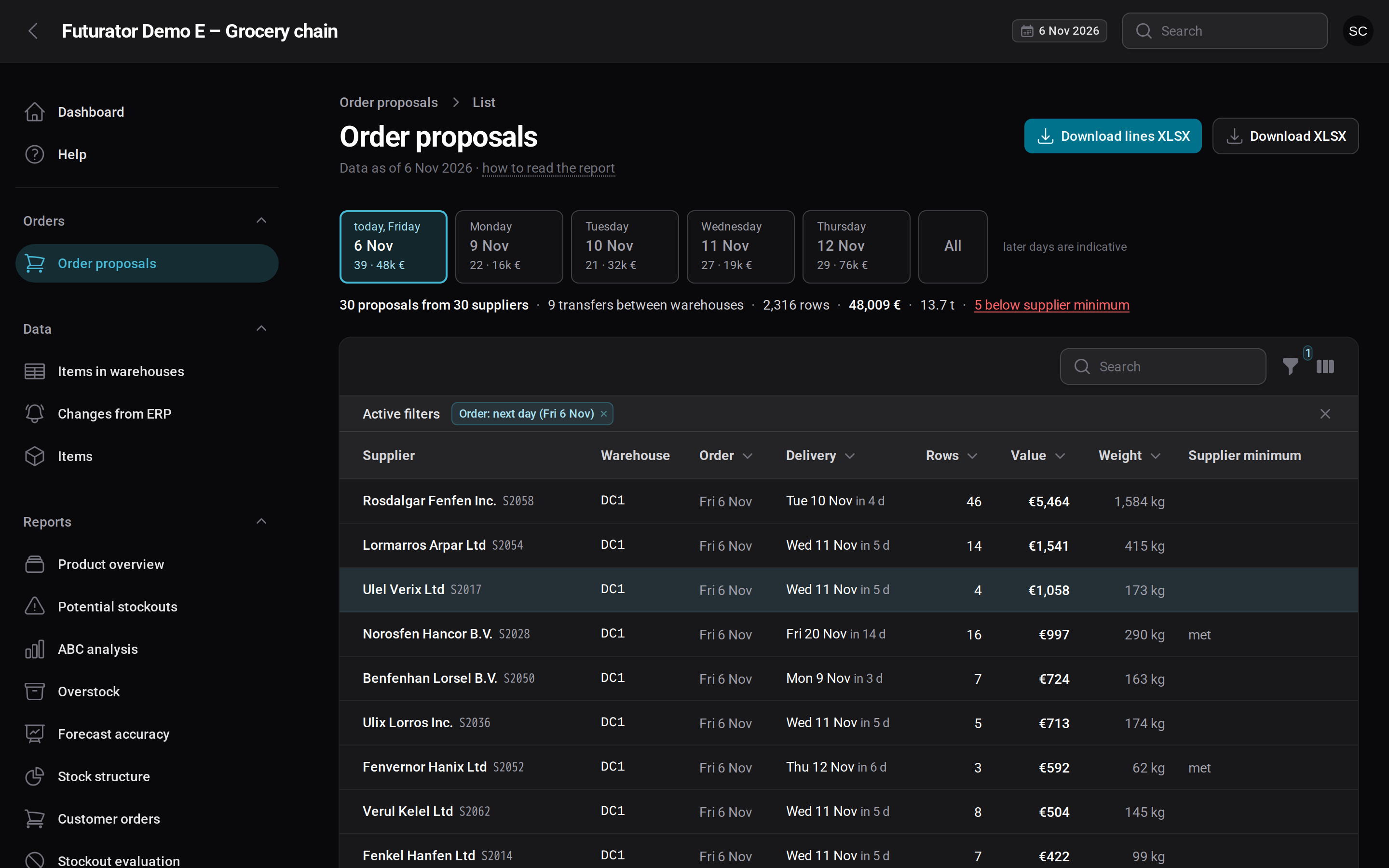
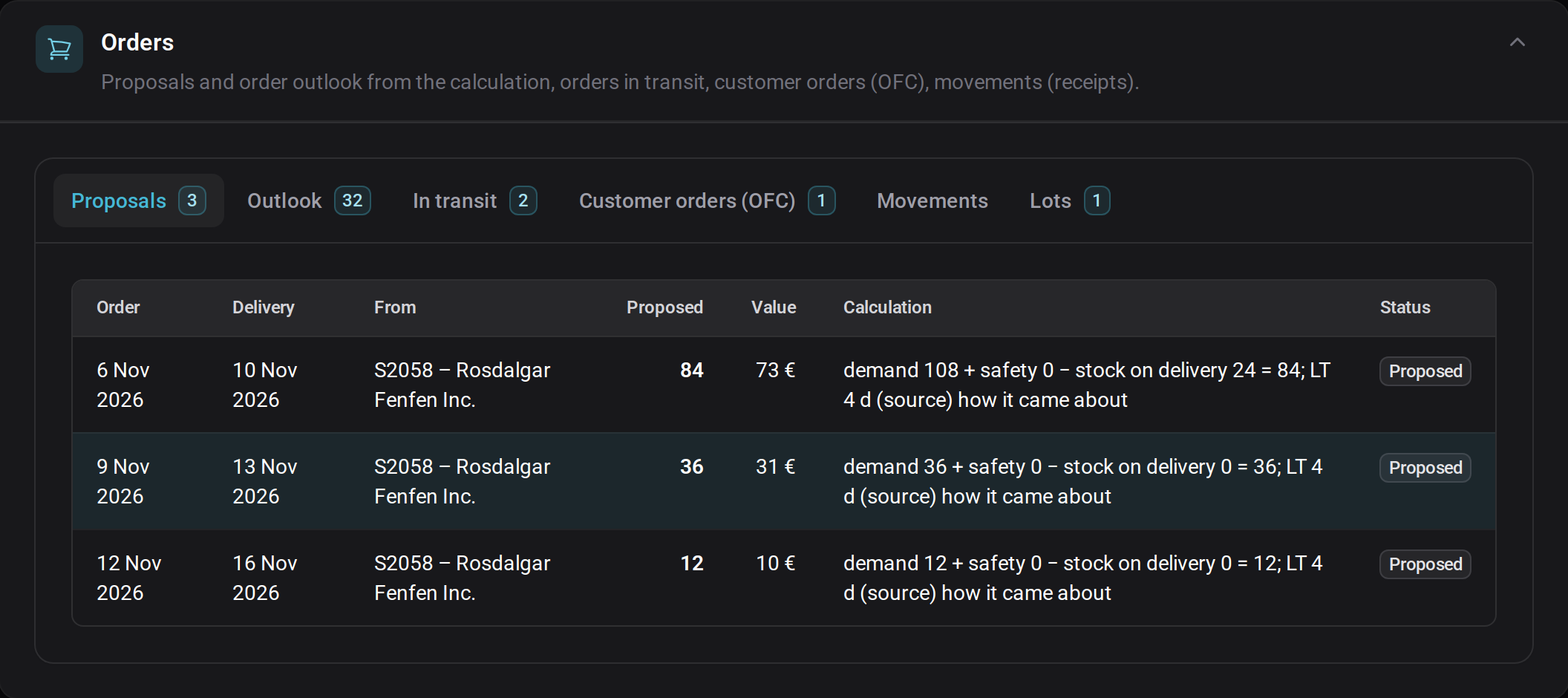
A strip of order days with the value for each day, totals by supplier and warehouse, transfers between warehouses and a warning for proposals below the supplier minimum. Export exactly what you see to Excel.
Proposal detail
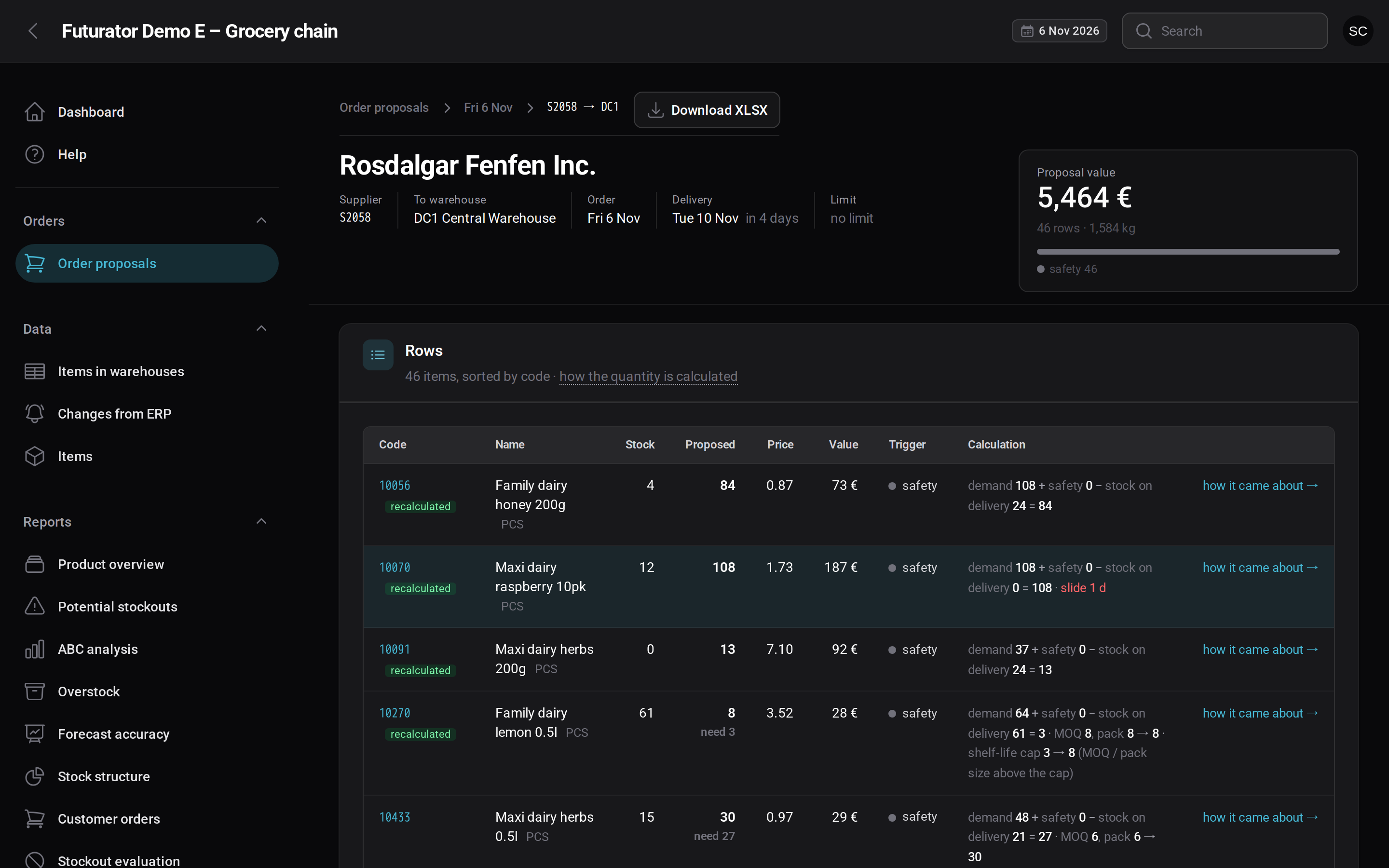
For each item you see where the quantity comes from: demand until the next delivery, safety stock, stock on the delivery day, rounding to MOQ and pack size. A link leads straight to the explanation in the item detail.
SKU detail
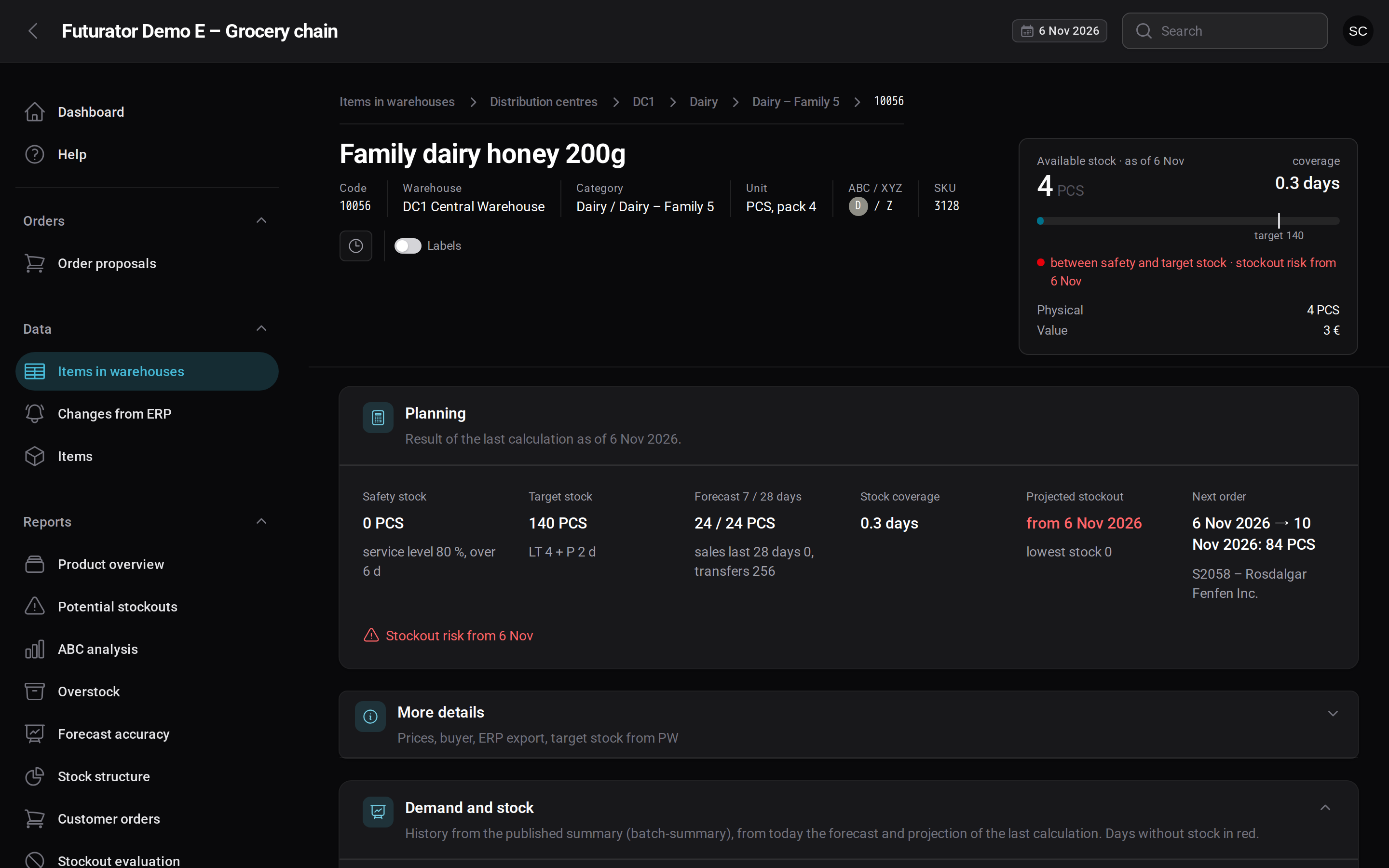
A stock card with days of cover, planning figures (safety and target stock, forecast, projected stockout, next order) and a demand and stock chart: history, forecast with a p10–p90 band and the stock outlook before ordering and with orders.
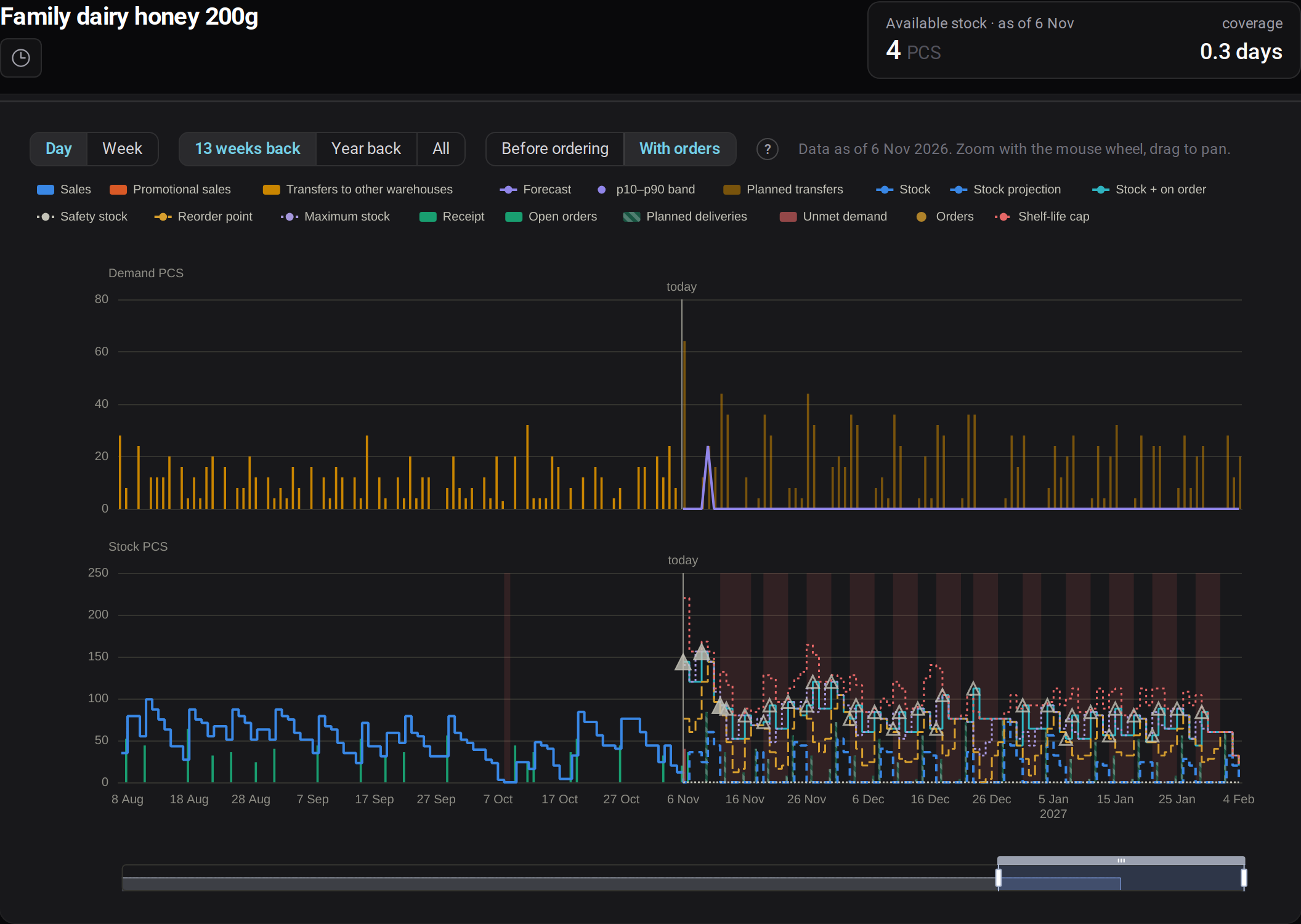
How the order came about
For every planned order, step by step: why that particular day, what the stock will be on the delivery day, demand over the coverage period, safety stock, the quantity and the outlook with and without the order.
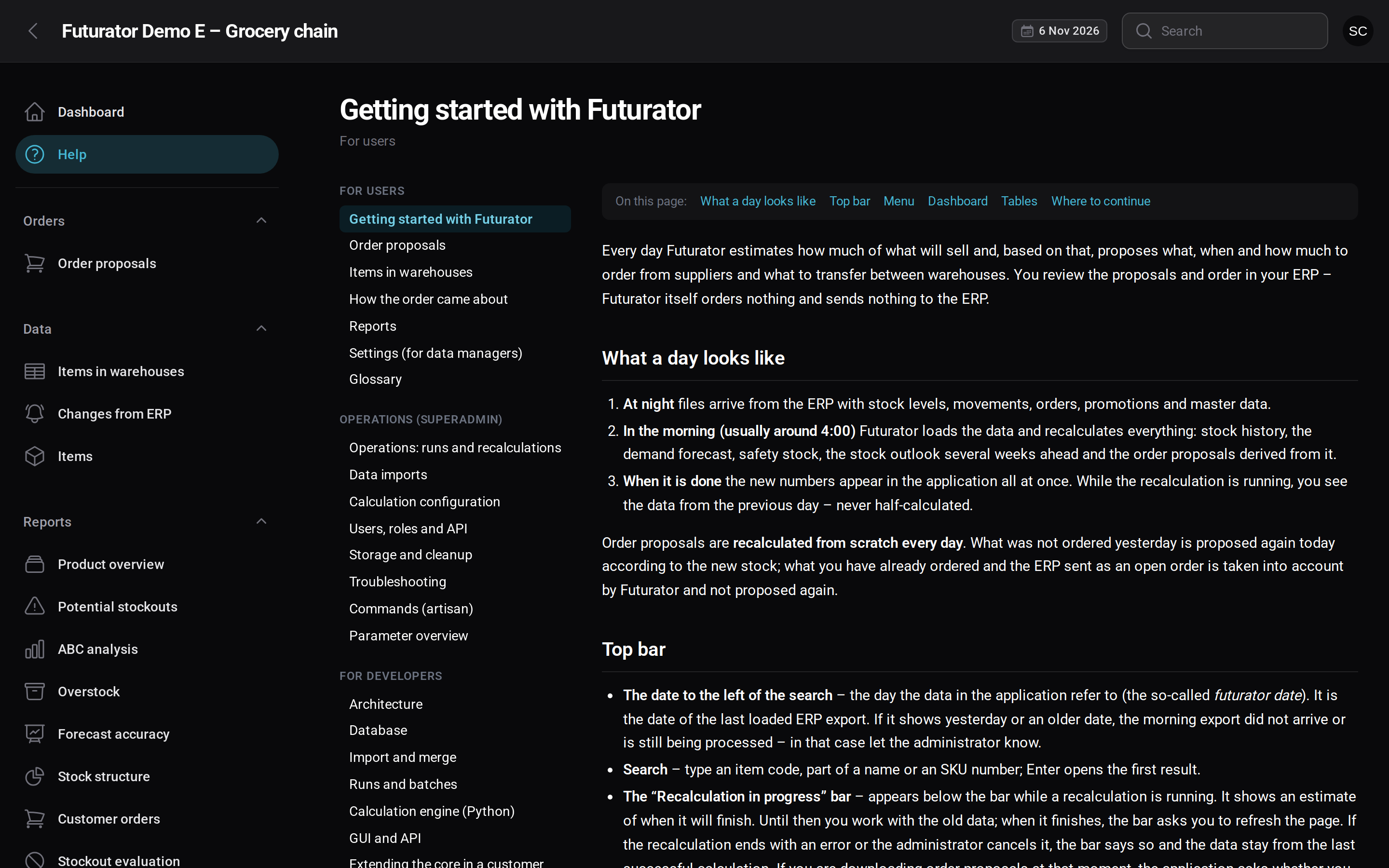
Role-based help
Three parts – for users, operations and developers. It changes in the same commit as the code; CI checks the links and that every parameter, command and table mentioned in the text really exists.
More in the application
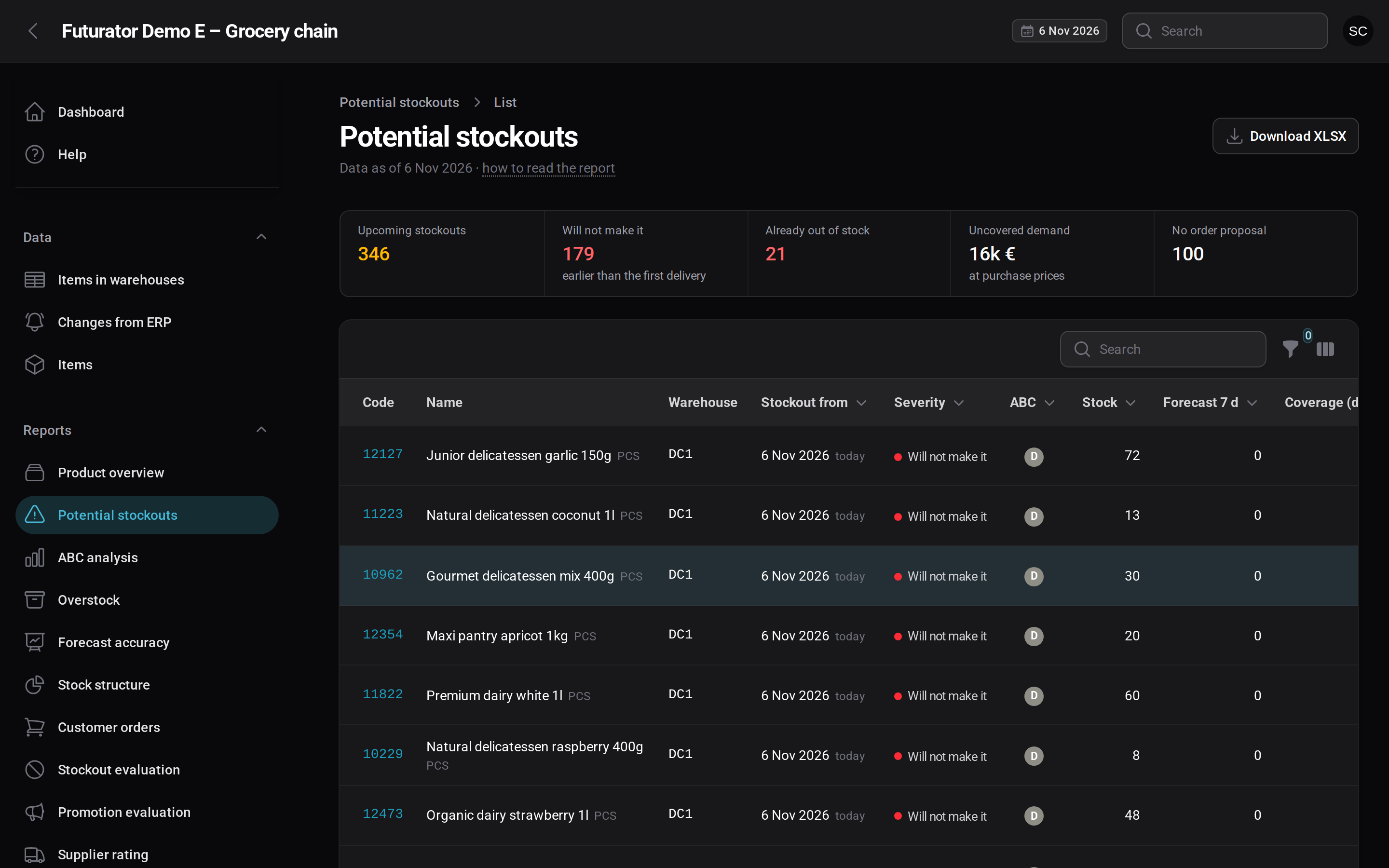
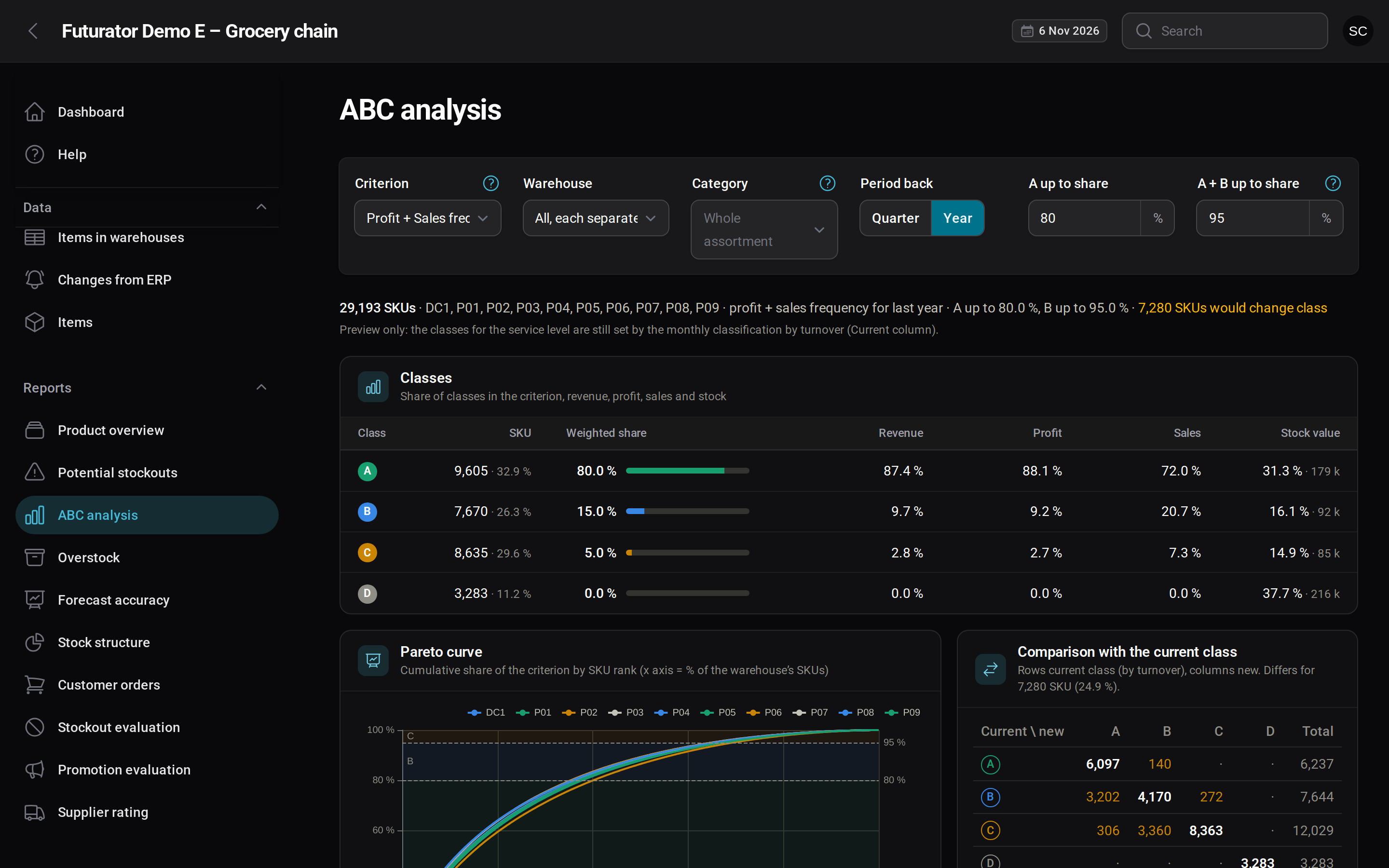
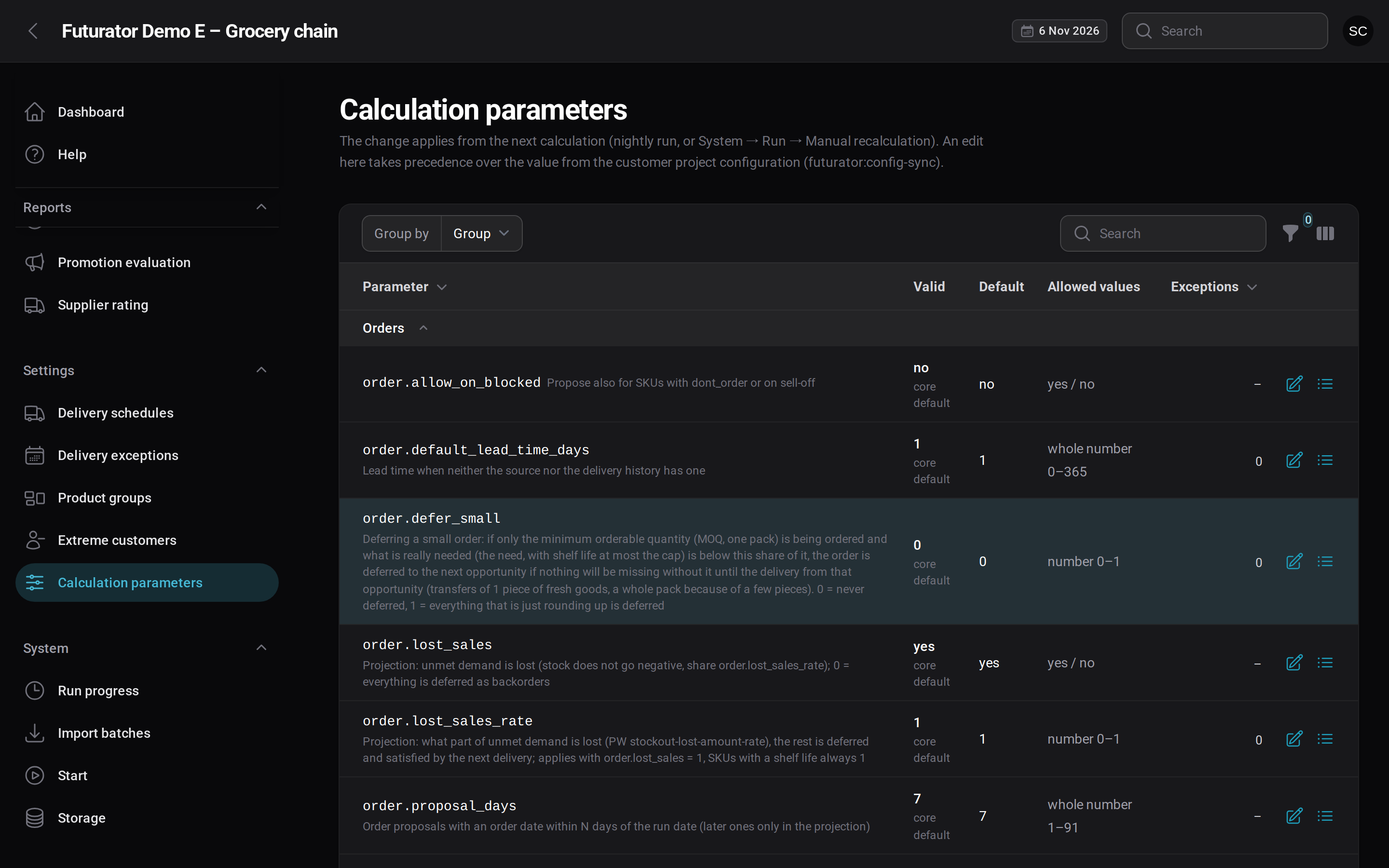
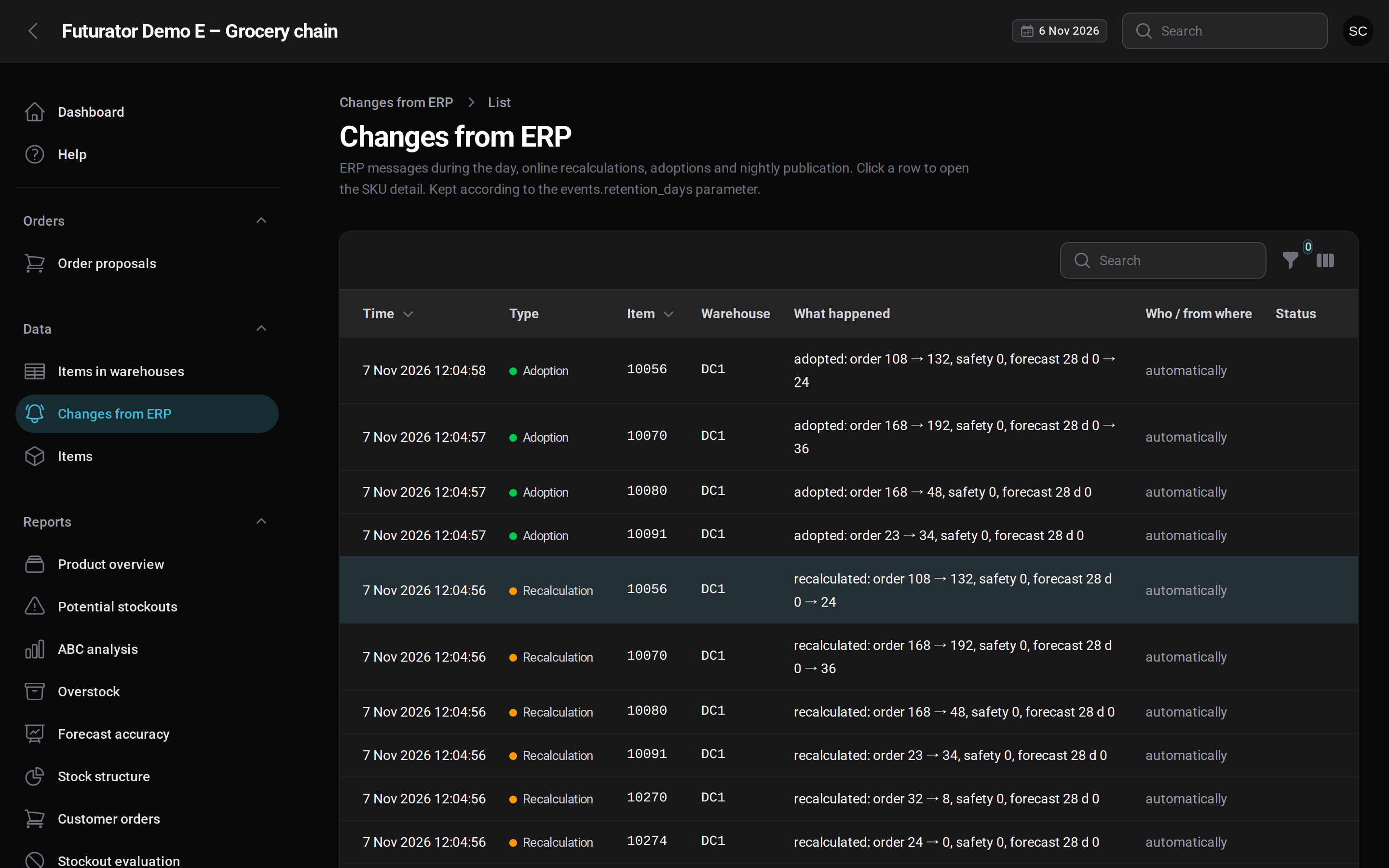
Operated for you
Customers don’t have to run anything themselves. Each one gets their own isolated instance, and our own operations console takes care of the rest.
- Nightly runs planned so every customer has results in time
- Updates, backups and monitoring handled by us
- Each customer’s data kept strictly separate
Technology and principles
- 01The UI only readsEverything is calculated overnight, so the application stays fast at any size.
- 02One core for all customersDifferences live in configuration, not in separate code branches.
- 03Results switch at onceUsers never see a half-finished calculation.
- 04Delivered as a serviceFuturator runs as SaaS: no installation on the customer’s side, updates and operations included.
Request a demo
Tell us a little about your business. We will show you Futurator on data like yours – no installation needed.